Inspection Endoscope Camera
R85,00
Email when stock available
Description
Instructions for use:
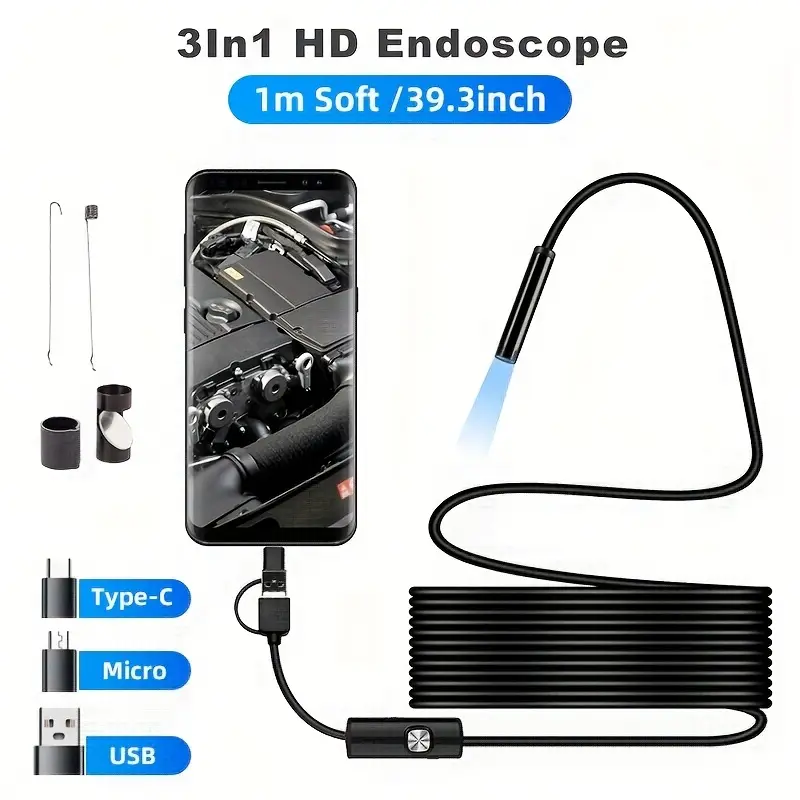
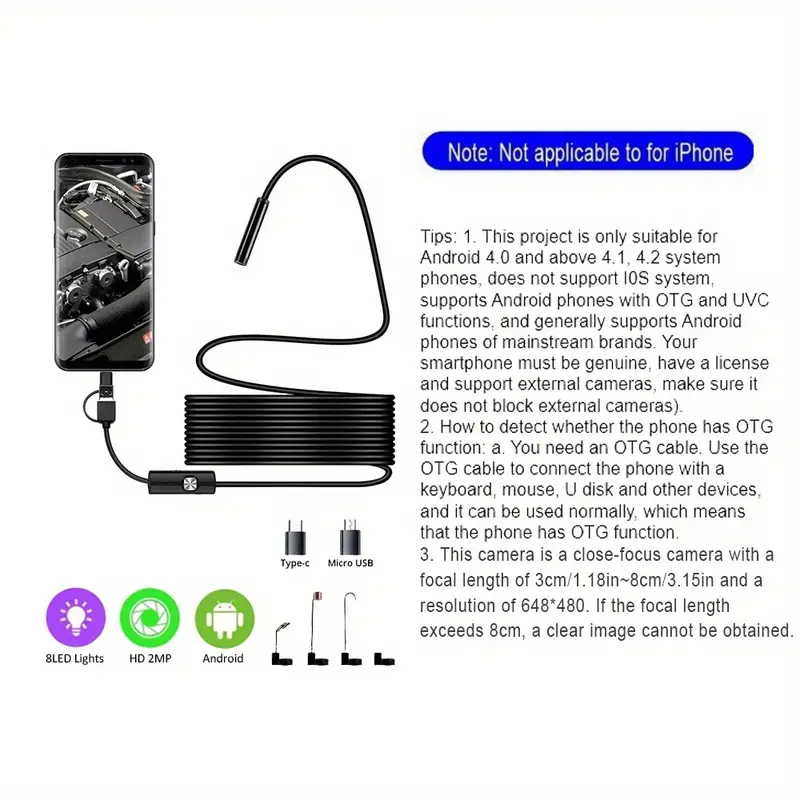
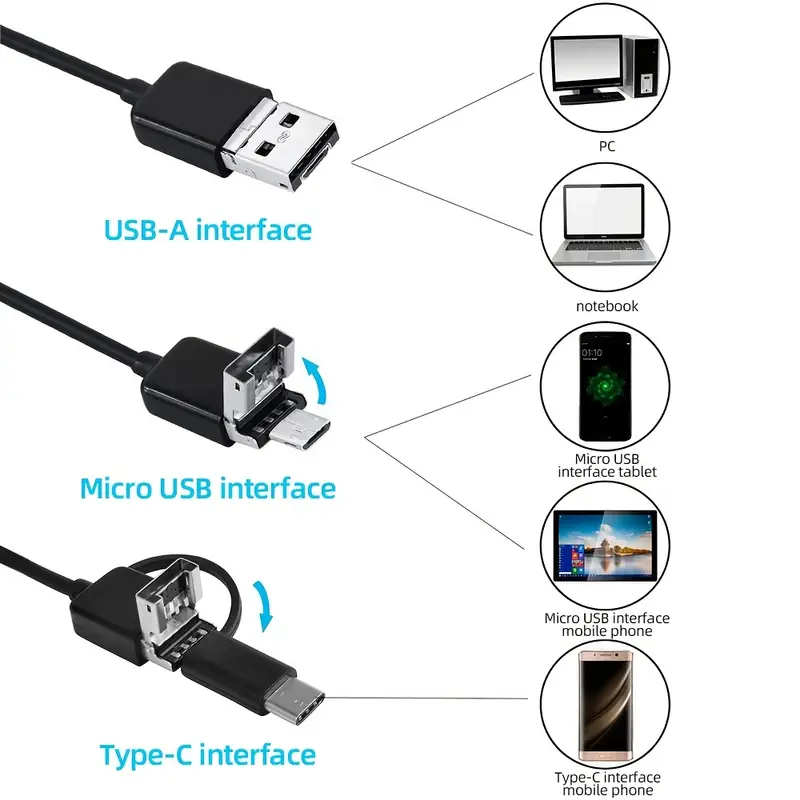
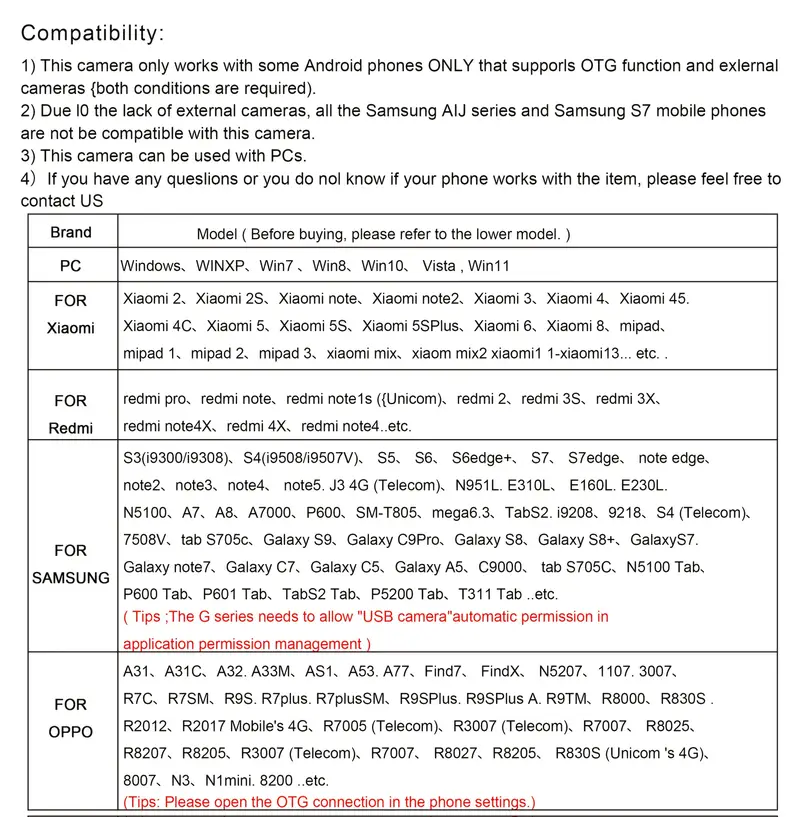
1. For Android devices: Scan the QR code found in the manual to download the app, or use the provided link to install it. An icon will then show up on your mobile home screen. Tap the icon to access the product. Operating this Android endoscope is straightforward; simply download the app and connect the endoscope to your device. The app will automatically detect it, allowing you to begin using it! (Ensure that your phone has OTG capability and supports external cameras.)
1. For Android devices: Scan the QR code found in the manual to download the app, or use the provided link to install it. An icon will then show up on your mobile home screen. Tap the icon to access the product. Operating this Android endoscope is straightforward; simply download the app and connect the endoscope to your device. The app will automatically detect it, allowing you to begin using it! (Ensure that your phone has OTG capability and supports external cameras.)
2. On the computer: First, install the software on the computer, then launch the software. Connect the camera to the computer, and the driver will be installed automatically. After this, the camera can be utilized on the computer with the software.
FAQ:
Q. Are there any specifications for the mobile phone if I purchase this endoscope?
A. Please ensure your Android phone (with a system version above 4.1) has OTG functionality and can connect to an external camera. If it doesn’t work, try using a different Android phone that meets these requirements. If it still doesn’t function, please test it on your computer, making sure to install the driver first.
Q. Are there any specifications for the mobile phone if I purchase this endoscope?
A. Please ensure your Android phone (with a system version above 4.1) has OTG functionality and can connect to an external camera. If it doesn’t work, try using a different Android phone that meets these requirements. If it still doesn’t function, please test it on your computer, making sure to install the driver first.
Q. Why does the ENDOSCOPE function on a computer but not on a mobile phone?
A. If the ENDOSCOPE operates with your computer but not with your mobile phone, it indicates that your mobile phone is incompatible, while the Endoscope is functioning properly.Q. Is this endoscope exclusively compatible with Android phones?
A. Yes, it is designed solely for the Android system.
A. If the ENDOSCOPE operates with your computer but not with your mobile phone, it indicates that your mobile phone is incompatible, while the Endoscope is functioning properly.Q. Is this endoscope exclusively compatible with Android phones?
A. Yes, it is designed solely for the Android system.
Make sure your phone matches the specified model, as other models may not connect reliably.
Only logged in customers who have purchased this product may leave a review.
Reviews
There are no reviews yet.