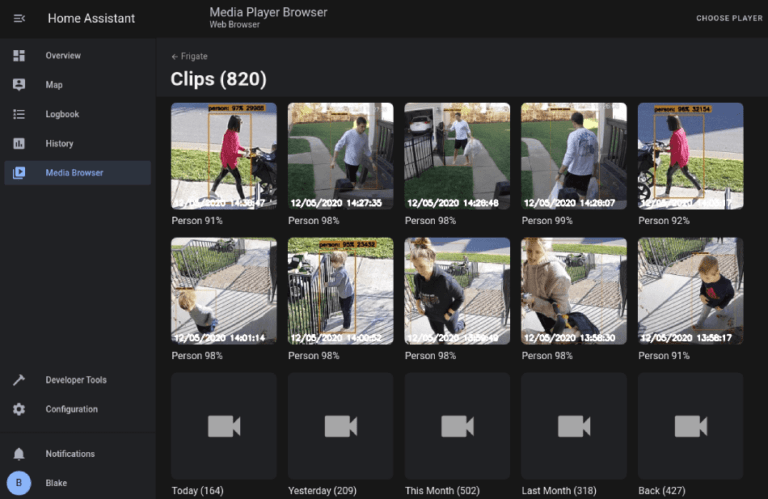

This is how I configured Home Assistant to activate the alarm and send me a notification via telegram when a single camera goes offline.
A camera that is offline does not provide any security, the other reason might be if using WIFI cameras that jamming is in progress.
Either way, I needed to be notified as soon as a cameras looses signal.
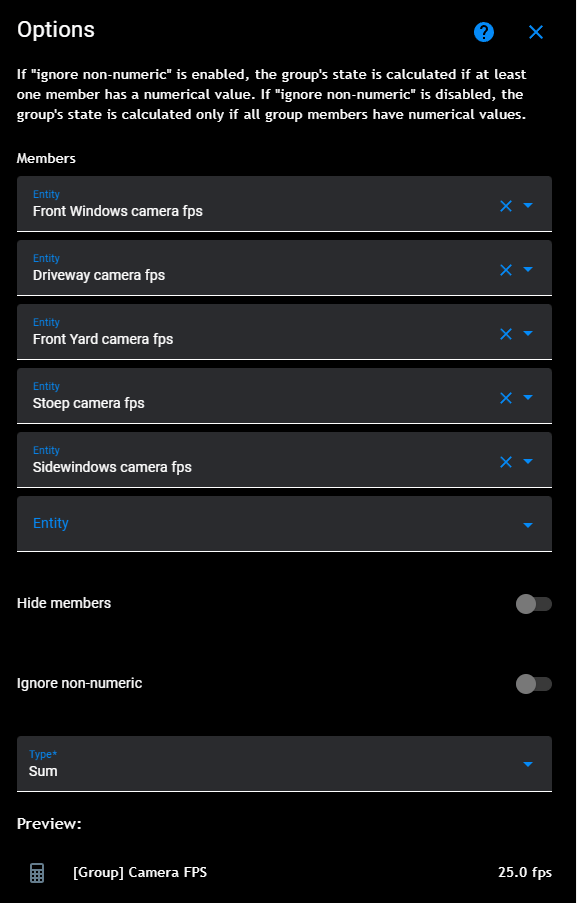
- Create a group in Home Assistant
- Add all the camera fps entity to the group and select sum as the Type.
The group entity when then sum up the fps counters of cameras.
Create another helper selecting the Threshold helper.
Select the group you created in the previous step as the “Input sensor”.
If you are using 5fps detection and have 5 cameras your value will be 25fps.
Here I set the lower limit to 21. If 1 camera goes offline the value of the group will recalculate to 20. 20 is lower than 21 that you set in the threshold sensor and this will cause the Threshold sensor to activate.
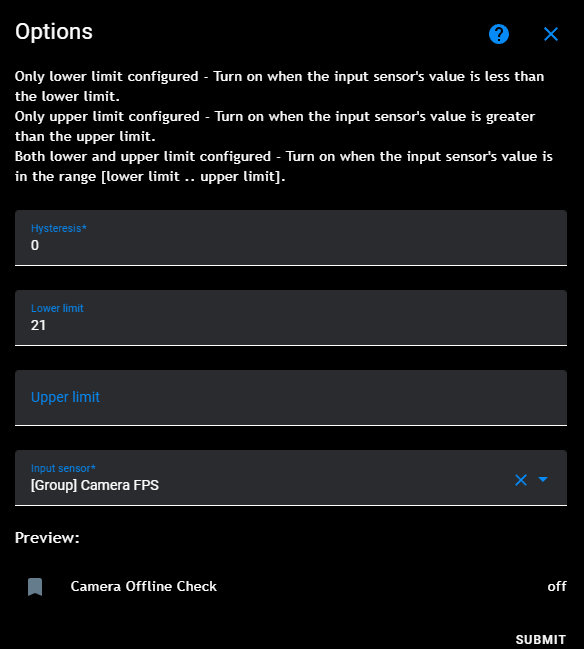
From here you can then use the Threshold sensor output as in input for Alarmo or another automation to do something when the value of the threshold sensor is On.
If you add a 6th camera you will have to reconfigure these sensor.
6*5fps=30fps.
Threshold sensor lower limit will then need to be 26.