Fibre ISP’s usually do not give you access to the router settings.
To have more control over your network it is recommended to add a second router between the ISP router and your CCTV/iot network.
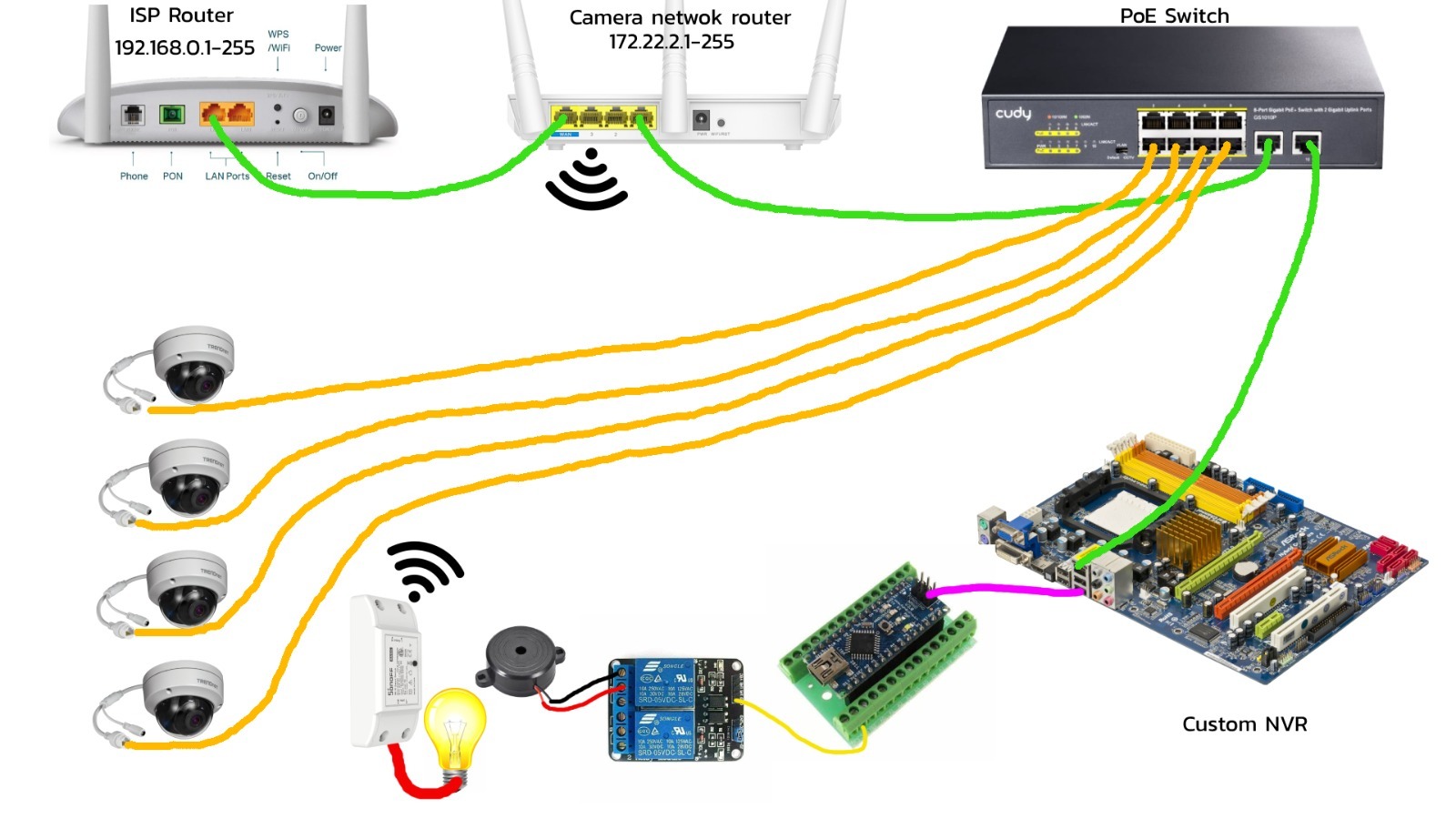
From the ethernet port of the ISP router connect a Lan cable to the WAN port of the secondary router. The secondary router should have DHCP active, to give out IP’s to any device connected to the secondary router.
From the secondary router connect a cable to the 1st uplink port of the unmanaged PoE switch.
This will allow internet traffic to devices connected to the PoE switch.
From the 2nd Uplink port on the PoE switch connect a Lan cable to the NVR computer.
Then connect your cameras on Port1 through 8.
This will complete your network setup.
If you plan on adding an audible siren for alarms, then a USB cable connected from the NVR computer to an Arduino nano will be required.
Connect a relay to the Arduino and a Siren to the relay – Read THIS guide for details.
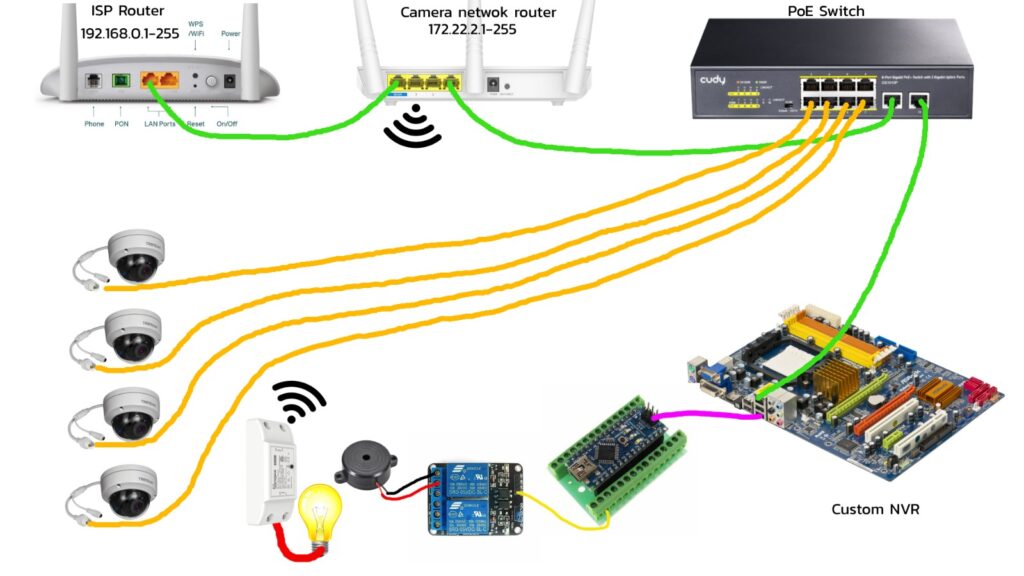
In the image above I have added a Sonoff basic smart switch.
In this case the NVR computer will be able to control the smart switch which might be connected to a light. You might switch the light on when the alarm gets triggered.
In a previous guide I wrote about not using wifi cameras because of jammers.
Using wifi smart switches is fine if not used for alarm systems or critical equipment.